-
23 Clinic Sprints ▾
● All 23 Fixed-Scope 48-Hour Clinic Sprints1. Search, AI SEO & Funnels2. Analytics, Calls & Google Ads3. Paid Social, Video & AI CRM
- Packages
- Video Studio
- Case Study
- 15m Huddle
- Contact
All-In-One Clinic Packages
→
9:16 Clinic Video & Carousel Studio
→
Book 15-Minute Strategy Huddle
→
Direct Clinic Engineering Desk
→
 AI Search (GEO) & ChatGPT SEO
→
AI Search (GEO) & ChatGPT SEO
→
 AI & LLM Visibility Tracking
→
AI & LLM Visibility Tracking
→
 Local SEO & Google Business
→
Local SEO & Google Business
→
 Technical SEO & SSH Code Fix
→
Technical SEO & SSH Code Fix
→
 12-Slot Mobile Booking CRO
→
12-Slot Mobile Booking CRO
→
 Sub-1s Clinic PPC Landing Page
→
Sub-1s Clinic PPC Landing Page
→
 Google Ads & GA4 Tracking
→
Google Ads & GA4 Tracking
→
 60s+ Call & WhatsApp Tracking
→
60s+ Call & WhatsApp Tracking
→
 2-Page Looker ROI Scoreboard
→
2-Page Looker ROI Scoreboard
→
 Ads vs. Calendar Audit
→
Ads vs. Calendar Audit
→
 Google Screened LSA Setup
→
Google Screened LSA Setup
→
 2-Page Executive PDF Audit
→
2-Page Executive PDF Audit
→
 Meta & TikTok Ads + CAPI
→
Meta & TikTok Ads + CAPI
→
 9:16 Video & Carousel Pilot
→
9:16 Video & Carousel Pilot
→
 5-Star Google Review Router
→
5-Star Google Review Router
→
 24/7 AI Receptionist Chatbot
→
24/7 AI Receptionist Chatbot
→
 CRM & <5s Lead Dispatch
→
CRM & <5s Lead Dispatch
→
 Past-Patient Reactivation
→
Past-Patient Reactivation
→
 WordPress Speed (1.8 MB)
→
WordPress Speed (1.8 MB)
→
 Broken Page & Blog CRO Fix
→
Broken Page & Blog CRO Fix
→
 HIPAA Analytics & Server CAPI
→
HIPAA Analytics & Server CAPI
→
 ADA & WCAG 2.1 AA Code Fix
→
ADA & WCAG 2.1 AA Code Fix
→
 WP Security & Ad Ban Guard
→
WP Security & Ad Ban Guard
→
Browse All 23 Clinic Sprints▾
AI Search (GEO) & ChatGPT SEO
→
AI & LLM Visibility Tracking
→
Local SEO & Google Business
→
Technical SEO & SSH Code Fix
→
12-Slot Mobile Booking CRO
→
Sub-1s Clinic PPC Landing Page
→
Google Ads & GA4 Tracking
→
60s+ Call & WhatsApp Tracking
→
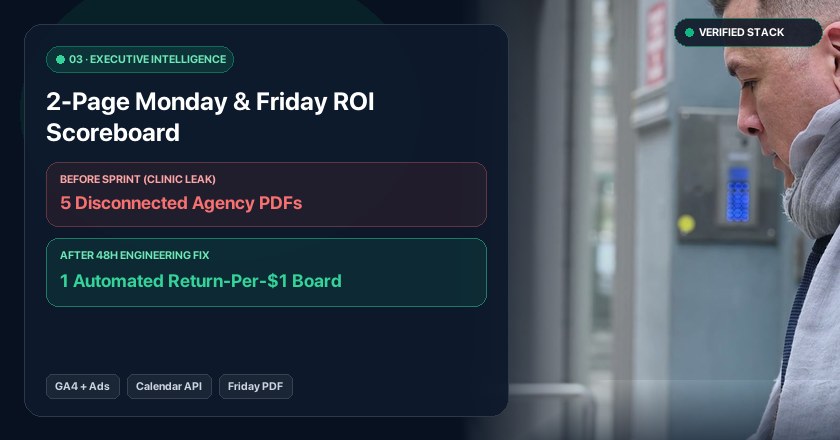
2-Page Looker ROI Scoreboard
→
Ads vs. Calendar Audit
→
Google Screened LSA Setup
→
2-Page Executive PDF Audit
→
Meta & TikTok Ads + CAPI
→
9:16 Video & Carousel Pilot
→
5-Star Google Review Router
→
24/7 AI Receptionist Chatbot
→
CRM & <5s Lead Dispatch
→
Past-Patient Reactivation
→
WordPress Speed (1.8 MB)
→
Broken Page & Blog CRO Fix
→
HIPAA Analytics & Server CAPI
→
ADA & WCAG 2.1 AA Code Fix
→
WP Security & Ad Ban Guard
→